Food Barn 10% discount on any additional produce purchased for any veg box customer. Simply show your Ooooby account.
How to Use the Website
Learn how to add extras, skip or cancel, and check upcoming orders.
Adding Extras
You can add extra items to your box whenever you like:
Every week (default) → When you add an item, it will be included in each weekly delivery until you change it.
One-off → Select “One-off order” if you only want the item in your next delivery.
Skipping a Delivery
Heading away or need a break? You can skip an order:
Go to your Upcoming Orders in your account.
Select the week you’d like to skip.
Tap Skip this delivery.
If your shop has the option to donate your order, you can also choose to do this here.
Cancelling Your Subscription
If you no longer want your subscription, you can cancel anytime:
Go to Manage Orders.
Click on Account.
Select Cancel subscription and confirm the cancellation.
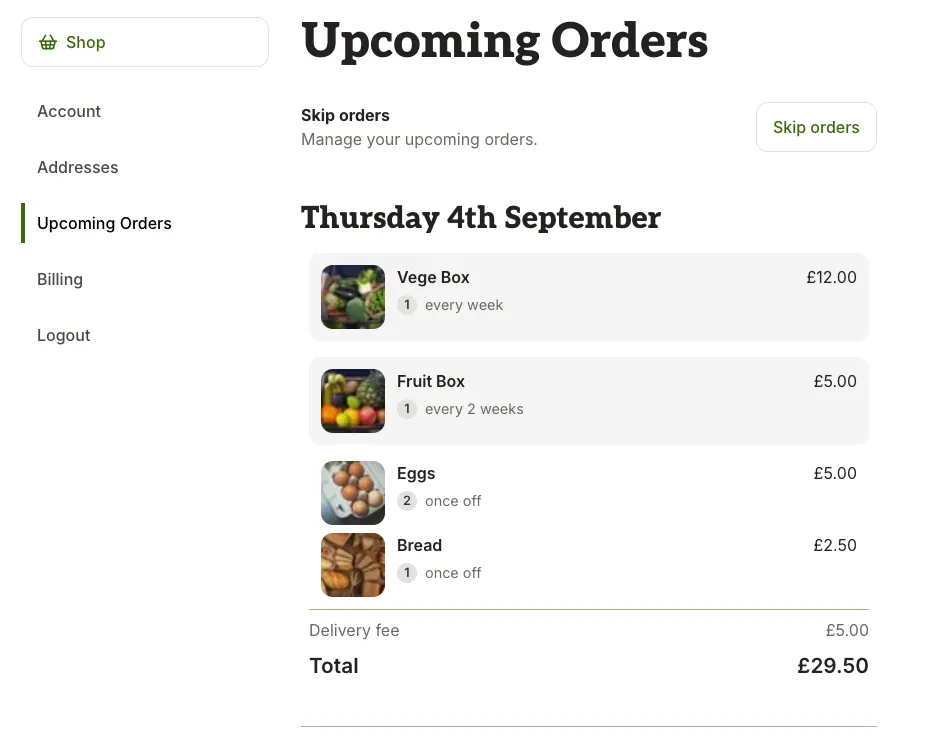
Confirming Your Upcoming Orders
Want to double-check what’s coming?
Visit My Orders to see your next deliveries.
Any extras or skips will show clearly.